149 copy-and-paste prompts for Higgsfield. Pick a job below, copy, swap the [brackets].
Pick a job
Tap Copy, paste in Higgsfield
Swap the [brackets]
The one rule. End product prompts with: Keep the product exactly the same. It stops the AI redesigning your label.
New to Higgsfield? One starter prompt for every model, then two quick checklists.
A starter prompt for each model
15
One prompt per Higgsfield model or app, written to show what it is best at. Swap the [brackets]. Model line-ups change fast, so if a name differs, pick the closest option.
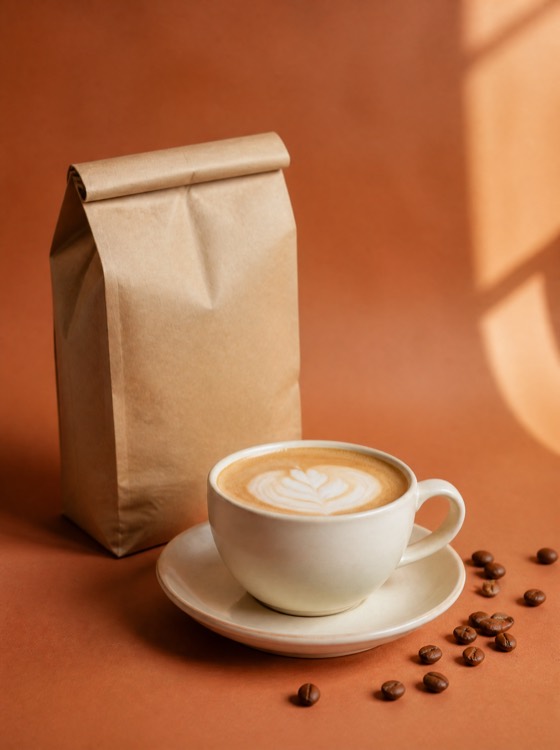
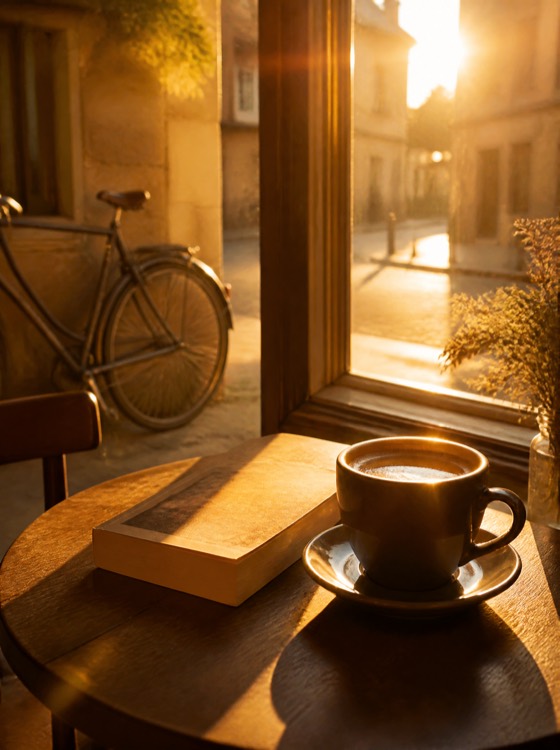
Made in Higgsfield. Examples of what the models give you.
Nano Banana Pro: relight a real photo
Image > Nano Banana Pro > Image-to-Image
Relight this photo as a cinematic advert: warm low sun from a window on the right, soft long shadows, the background softly blurred with warm bokeh lights. Keep the [product] exactly as it is. Photorealistic.
Best when you already have a photo and want better light.
Nano Banana 2: fast variations
Image > Nano Banana 2
Four quick variations of a [product] on a [surface], different times of day.
The fast, cheap one. Use it to explore before you commit to a final.
GPT Image 2.5, Flare: words that stay readable
Image > GPT Image 2.5 (Flare)
A hand-lettered chalkboard sign outside a small [shop type] that reads "[YOUR WORDS]". Morning light, [your products] around it.
Flare is the quick everyday mode. Put the exact words in quotes and proofread.
GPT Image 2.5, Sunburst: change one thing
Image > GPT Image 2.5 (Sunburst)
Change "[old text]" to "[new text]". Keep everything else exactly the same.
Sunburst is for careful edits to an image you already have.
Soul 2.0: editorial look
Image > Soul 2.0
Editorial magazine photo of a [shop interior], moody green tones, film grain, no people.
Soul is built for people and fashion. If it adds a person you did not ask for, say "no people" or use another model.
Soul Location: an empty set
Image > Soul Location
A sunlit empty greenhouse with timber benches and hanging ferns.
Good for backdrops and settings with no subject.
Recraft V4.1: flat vector icon or logo
Image > Recraft V4.1 (vector)
Simple one-colour line logo of a [object] inside a circle, flat, white background.
Text prompt only, no reference image.
Seedance 2.5: push-in with sound
Video > Seedance 2.5
Slow push-in toward this exact [product]. Steam rising, soft morning light shifts slightly across the surface. Calm, premium mood. Sound: quiet café ambience and one soft clink at the start.
Start with this one if you are not sure. Test at 480p, finish at 1080p.
Kling 3.0: a simple locked-off scene
Video > Kling 3.0
Locked-off camera, steam rising, the light shifts slightly. The [product] does not move.
A lower-cost pick for simple scenes. Add music in your edit.
Veo 3.1: a short, real-looking moment
Video > Veo 3.1
Slow push-in. Steam rising. A hand reaches in and lifts the [product].
Clips of 4, 6 or 8 seconds.
Cinema Studio 4.0: a film look
Video > Cinema Studio 4.0
Genre: Noir. Camera: 35mm Film. Lens: Anamorphic. Tempo: Calm. Prompt: The [product] on a bar counter at night, rain on the window behind.
Pick the genre, camera, lens and movement in the panel, then describe the scene.
Genjutsu: swap the product, keep your movement
Genjutsu > Object Swap
Replace the [old product] with the [new product] from the reference image. Keep the hands, movement, shelf, table and lighting exactly the same. The label must match the reference.
Film once, swap every product.
Expand image: no prompt
Apps > Expand image
No prompt. Upload, pick 9:16, generate.
Fills in above and below so a landscape photo fits a Reel. Check the edges.
Shots: no prompt
Apps > Shots
No prompt. Upload one photo and generate. Pick your favourites and upscale them.
A set of different angles from one photo.
Bullet Time White: no prompt
Apps > Bullet Time White
No prompt. Upload a clean product photo.
A slow-motion 360 spin from one photo.
Checklists: the starting photo and the hook
2
Two short checks that save credits.
The starting photo checklist
Before you open Higgsfield
Daylight, near a window. Plain background. Whole product in frame, label facing the camera. Phone held at the height of the product. Sharp, not blurry. Nothing in the frame you would not want in the ad.
A good start photo does more than any prompt.
The hook checklist
Before you post
1. Does something move in the first second? 2. Can a stranger tell what it is in one line? 3. Is the payoff visible in the first three seconds? 4. Is there a reason to keep watching? 5. Did you check it with Higgsfield's Virality Predictor, and did you compare two versions?
It is an estimate, not a promise.
Hero shots, backdrops, lifestyle scenes, summer Christmas and signs.
The hero shot prompt card, plus 30 more
31
One base prompt, then thirty settings you can swap in. Upload your product photo as the reference.
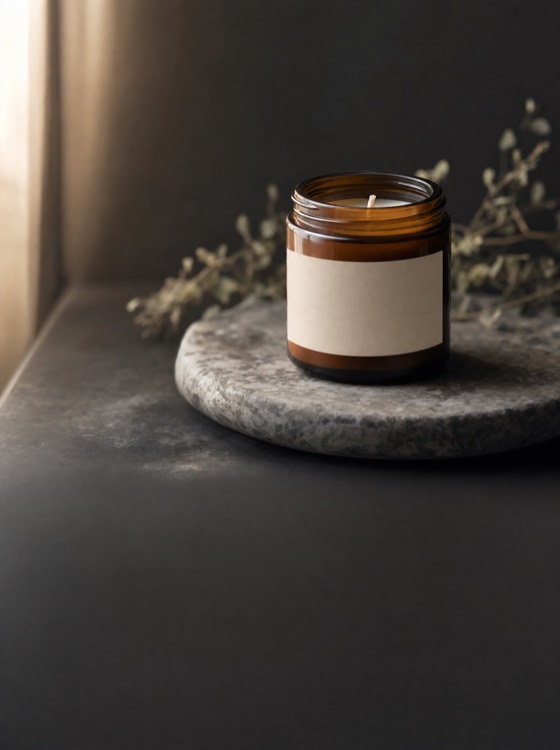
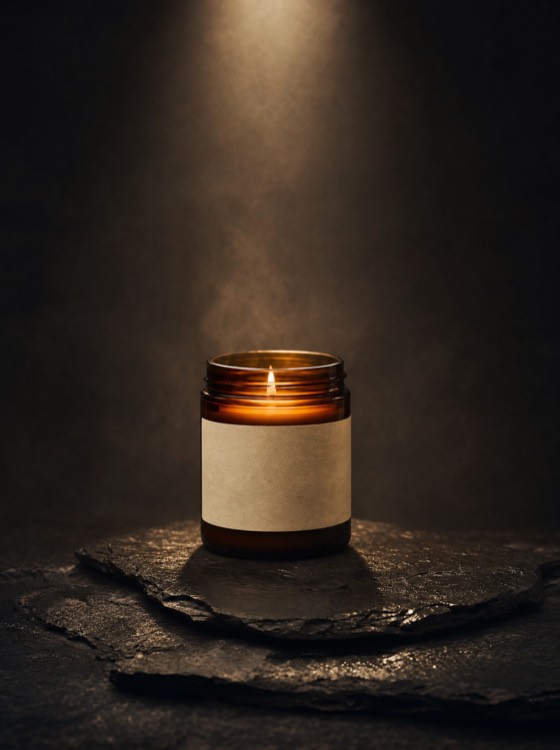
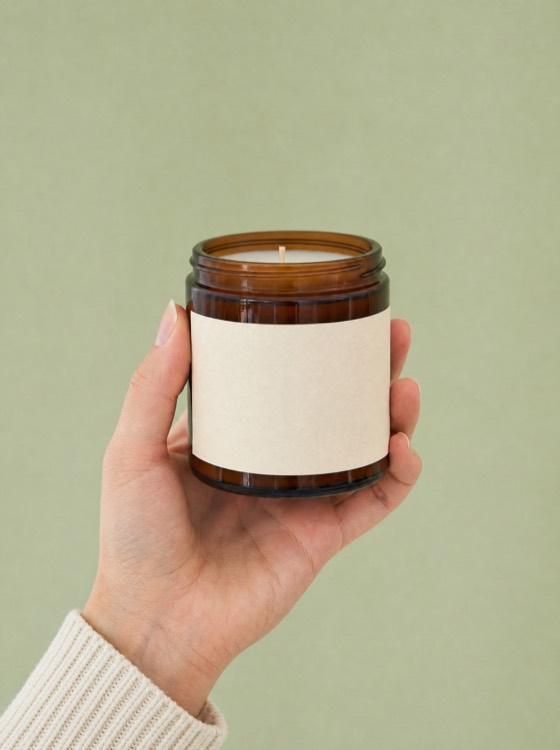
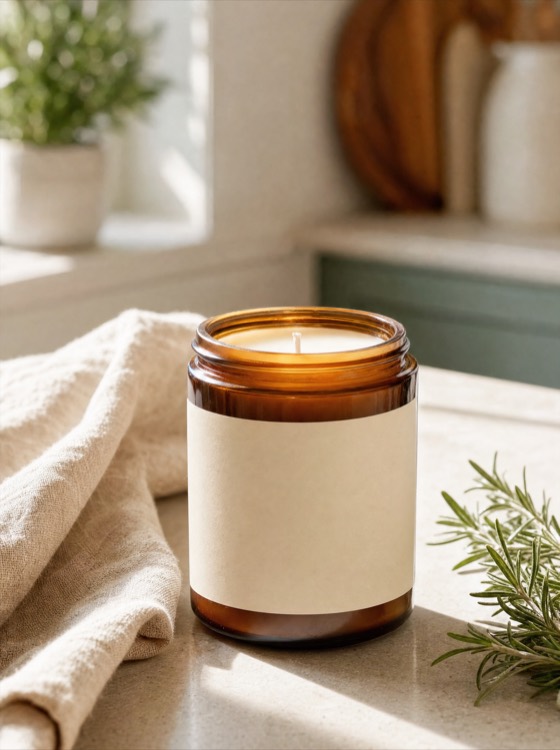
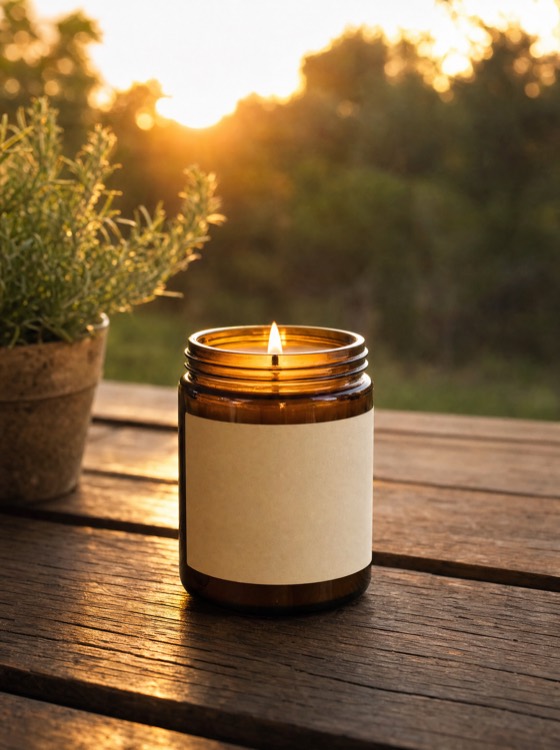
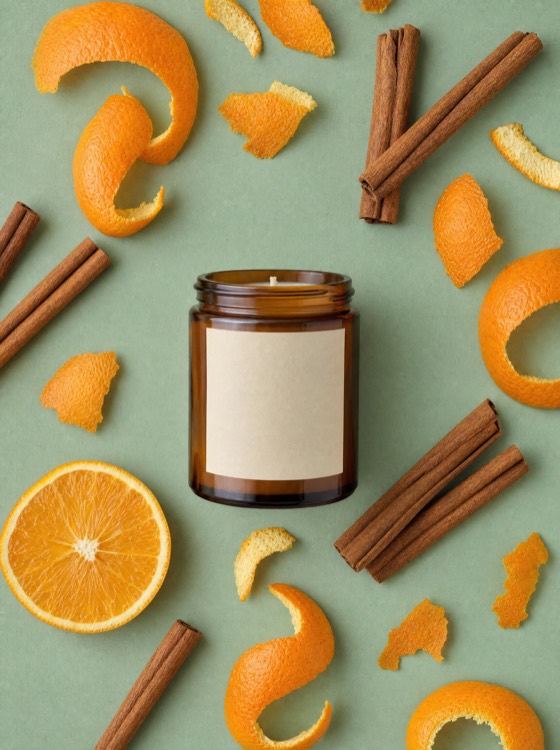
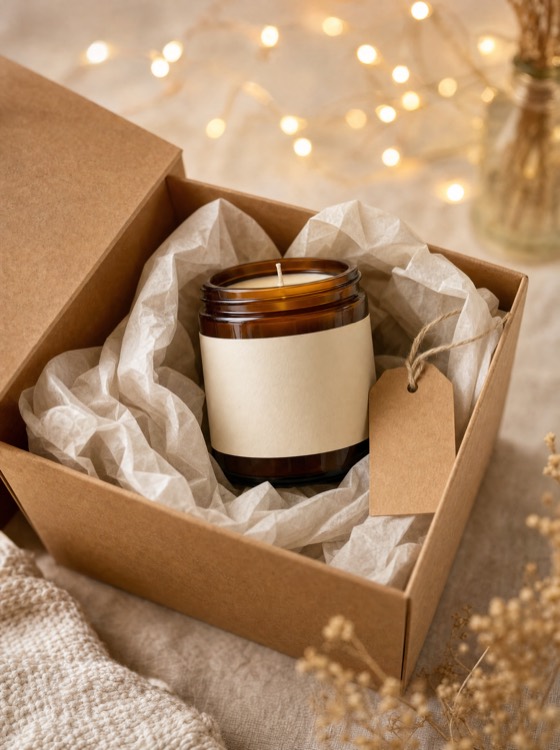
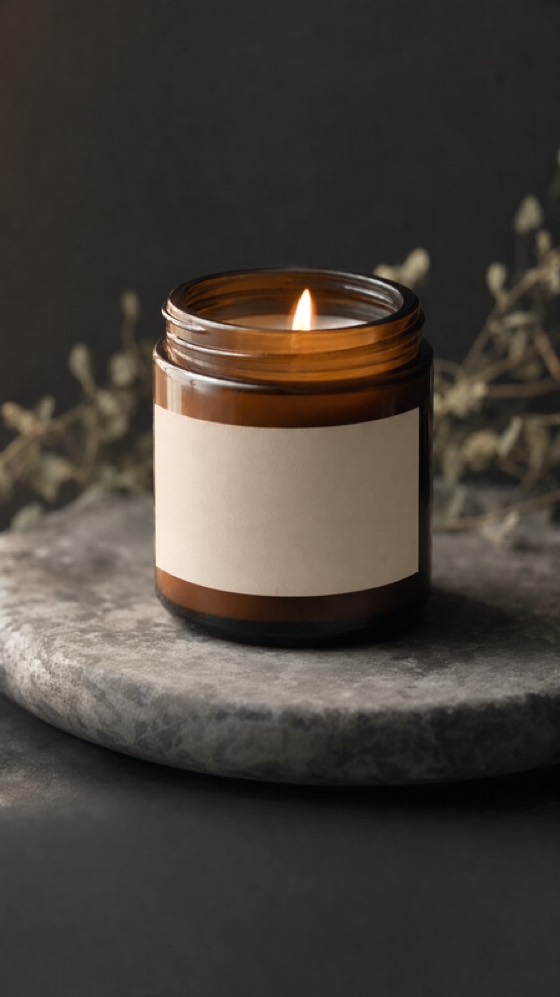
One candle, four hero shots. Made in Higgsfield with prompts like these.
The base prompt
Image > GPT Image 2.5 (Sunburst)
This exact [product] standing alone on a [surface] in the centre of the frame. One soft light from the left, gentle shadow on the right, plain [colour] background that matches the product. Eye-level, 50mm lens, sharp focus on the label. Keep the product exactly the same.
Change one thing at a time.
Variation 1: Pale travertine block
Image
This exact [product] standing alone on a pale travertine block in the centre of the frame. One soft light from the left, gentle shadow on the right, plain warm amber background. Eye-level, 50mm lens, sharp focus on the label. Keep the product exactly the same.
Variation 2: White marble slab
Image
This exact [product] standing alone on a white marble slab in the centre of the frame. One soft light from the left, gentle shadow on the right, plain soft grey background. Eye-level, 50mm lens, sharp focus on the label. Keep the product exactly the same.
Variation 3: Terracotta plinth
Image
This exact [product] standing alone on a terracotta plinth in the centre of the frame. One soft light from the left, gentle shadow on the right, plain cream background. Eye-level, 50mm lens, sharp focus on the label. Keep the product exactly the same.
Variation 4: Pale oak shelf
Image
This exact [product] standing alone on a pale oak shelf in the centre of the frame. One soft light from the left, gentle shadow on the right, plain sage green background. Eye-level, 50mm lens, sharp focus on the label. Keep the product exactly the same.
Variation 5: Black glossy acrylic
Image
This exact [product] standing alone on a black glossy acrylic in the centre of the frame. One soft light from the left, gentle shadow on the right, plain deep charcoal background. Eye-level, 50mm lens, sharp focus on the label. Keep the product exactly the same.
Variation 6: Raw concrete block
Image
This exact [product] standing alone on a raw concrete block in the centre of the frame. One soft light from the left, gentle shadow on the right, plain warm stone background. Eye-level, 50mm lens, sharp focus on the label. Keep the product exactly the same.
Variation 7: Sheet of crumpled kraft paper
Image
This exact [product] standing alone on a sheet of crumpled kraft paper in the centre of the frame. One soft light from the left, gentle shadow on the right, plain off-white background. Eye-level, 50mm lens, sharp focus on the label. Keep the product exactly the same.
Variation 8: Round mirror disc
Image
This exact [product] standing alone on a round mirror disc in the centre of the frame. One soft light from the left, gentle shadow on the right, plain dusty pink background. Eye-level, 50mm lens, sharp focus on the label. Keep the product exactly the same.
Variation 9: Stack of linen-wrapped books
Image
This exact [product] standing alone on a stack of linen-wrapped books in the centre of the frame. One soft light from the left, gentle shadow on the right, plain warm beige background. Eye-level, 50mm lens, sharp focus on the label. Keep the product exactly the same.
Variation 10: Wet slate tile
Image
This exact [product] standing alone on a wet slate tile in the centre of the frame. One soft light from the left, gentle shadow on the right, plain deep navy background. Eye-level, 50mm lens, sharp focus on the label. Keep the product exactly the same.
Variation 11: Pale ash wood stool
Image
This exact [product] standing alone on a pale ash wood stool in the centre of the frame. One soft light from the left, gentle shadow on the right, plain soft white background. Eye-level, 50mm lens, sharp focus on the label. Keep the product exactly the same.
Variation 12: Glass cube
Image
This exact [product] standing alone on a glass cube in the centre of the frame. One soft light from the left, gentle shadow on the right, plain light blue background. Eye-level, 50mm lens, sharp focus on the label. Keep the product exactly the same.
Variation 13: Bed of dried grass
Image
This exact [product] standing alone on a bed of dried grass in the centre of the frame. One soft light from the left, gentle shadow on the right, plain warm sand background. Eye-level, 50mm lens, sharp focus on the label. Keep the product exactly the same.
Variation 14: Single stone in a shallow tray of sand
Image
This exact [product] standing alone on a single stone in a shallow tray of sand in the centre of the frame. One soft light from the left, gentle shadow on the right, plain pale grey background. Eye-level, 50mm lens, sharp focus on the label. Keep the product exactly the same.
Variation 15: Folded white towel
Image
This exact [product] standing alone on a folded white towel in the centre of the frame. One soft light from the left, gentle shadow on the right, plain soft green background. Eye-level, 50mm lens, sharp focus on the label. Keep the product exactly the same.
Variation 16: Gold-edged tray
Image
This exact [product] standing alone on a gold-edged tray in the centre of the frame. One soft light from the left, gentle shadow on the right, plain ivory background. Eye-level, 50mm lens, sharp focus on the label. Keep the product exactly the same.
Variation 17: Moss-covered log
Image
This exact [product] standing alone on a moss-covered log in the centre of the frame. One soft light from the left, gentle shadow on the right, plain forest green background. Eye-level, 50mm lens, sharp focus on the label. Keep the product exactly the same.
Variation 18: Rough plaster step
Image
This exact [product] standing alone on a rough plaster step in the centre of the frame. One soft light from the left, gentle shadow on the right, plain peach background. Eye-level, 50mm lens, sharp focus on the label. Keep the product exactly the same.
Variation 19: Bench in a sunny window
Image
This exact [product] standing alone on a bench in a sunny window in the centre of the frame. One soft light from the left, gentle shadow on the right, plain warm white background. Eye-level, 50mm lens, sharp focus on the label. Keep the product exactly the same.
Variation 20: Painted brick ledge
Image
This exact [product] standing alone on a painted brick ledge in the centre of the frame. One soft light from the left, gentle shadow on the right, plain faded blue background. Eye-level, 50mm lens, sharp focus on the label. Keep the product exactly the same.
Variation 21: Bamboo mat
Image
This exact [product] standing alone on a bamboo mat in the centre of the frame. One soft light from the left, gentle shadow on the right, plain light olive background. Eye-level, 50mm lens, sharp focus on the label. Keep the product exactly the same.
Variation 22: Ribbed ceramic dish
Image
This exact [product] standing alone on a ribbed ceramic dish in the centre of the frame. One soft light from the left, gentle shadow on the right, plain butter yellow background. Eye-level, 50mm lens, sharp focus on the label. Keep the product exactly the same.
Variation 23: Metal workbench
Image
This exact [product] standing alone on a metal workbench in the centre of the frame. One soft light from the left, gentle shadow on the right, plain cool grey background. Eye-level, 50mm lens, sharp focus on the label. Keep the product exactly the same.
Variation 24: Sheet of coloured acrylic
Image
This exact [product] standing alone on a sheet of coloured acrylic in the centre of the frame. One soft light from the left, gentle shadow on the right, plain clear white background. Eye-level, 50mm lens, sharp focus on the label. Keep the product exactly the same.
Variation 25: Wooden crate
Image
This exact [product] standing alone on a wooden crate in the centre of the frame. One soft light from the left, gentle shadow on the right, plain rust background. Eye-level, 50mm lens, sharp focus on the label. Keep the product exactly the same.
Variation 26: Cork board
Image
This exact [product] standing alone on a cork board in the centre of the frame. One soft light from the left, gentle shadow on the right, plain warm cream background. Eye-level, 50mm lens, sharp focus on the label. Keep the product exactly the same.
Variation 27: Floating shelf with one plant
Image
This exact [product] standing alone on a floating shelf with one plant in the centre of the frame. One soft light from the left, gentle shadow on the right, plain pale mint background. Eye-level, 50mm lens, sharp focus on the label. Keep the product exactly the same.
Variation 28: Bed of sea salt
Image
This exact [product] standing alone on a bed of sea salt in the centre of the frame. One soft light from the left, gentle shadow on the right, plain soft blue background. Eye-level, 50mm lens, sharp focus on the label. Keep the product exactly the same.
Variation 29: Stack of folded linen
Image
This exact [product] standing alone on a stack of folded linen in the centre of the frame. One soft light from the left, gentle shadow on the right, plain oatmeal background. Eye-level, 50mm lens, sharp focus on the label. Keep the product exactly the same.
Variation 30: Block of ice, melting slowly
Image
This exact [product] standing alone on a block of ice, melting slowly in the centre of the frame. One soft light from the left, gentle shadow on the right, plain icy blue background. Eye-level, 50mm lens, sharp focus on the label. Keep the product exactly the same.
One bottle, five backdrops
5
The same product, five different places. Upload your photo as the reference. Photorealistic product photography.
The same candle, four backdrops. Made in Higgsfield.
Timber bar, neon
Image > GPT Image 2.5 (Sunburst)
Place this exact hot sauce bottle on a timber bar lit by a pink neon glow, close-up at eye level, late-night mood. Photorealistic product photography. Keep the product exactly the same. Include the label.
Sunny picnic rug
Image > GPT Image 2.5 (Sunburst)
Place this exact hot sauce bottle on a picnic rug at the beach, bright midday sun, close-up at eye level. Photorealistic product photography. Keep the product exactly the same. Include the label.
Kitchen bench, morning
Image > GPT Image 2.5 (Sunburst)
Place this exact hot sauce bottle on a pale stone kitchen bench beside a halved lime, a bowl of tacos and a linen cloth, soft morning window light. Photorealistic product photography. Keep the product exactly the same. Include the label.
Concrete and shadow
Image > GPT Image 2.5 (Sunburst)
Place this exact hot sauce bottle on a raw concrete block with a hard diagonal shadow, a single chilli beside it, plain warm background. Photorealistic product photography. Keep the product exactly the same. Include the label.
Market stall
Image > GPT Image 2.5 (Sunburst)
Place this exact hot sauce bottle on a market stall table with a hand-painted sign, jars of other goods softly blurred behind, warm afternoon light. Photorealistic product photography. Keep the product exactly the same. Include the label.
Lifestyle scene prompts
8
Your product in a real-life setting, for ads and social. Photorealistic. Check the label and size look right.
Made in Higgsfield. Examples of what prompts like these give you.
Bathroom shelf
Image > AI Product Photography (Lifestyle) or GPT Image 2.5
On a bathroom shelf beside folded white towels and a eucalyptus sprig, soft morning light.
Kitchen bench
Image
On a pale stone kitchen bench beside a fruit bowl and a linen cloth, soft window light from the left.
Bedside table
Image
On a timber bedside table beside a paperback, a glass of water and a small lamp glowing warm.
Work desk
Image
On a tidy desk beside a laptop with a dark screen, a notebook and a small plant, soft daylight.
Gym bag
Image
Next to an open gym bag with a rolled towel and a water bottle on a changing-room bench, clean daylight.
Picnic
Image
On a picnic rug under a tree with sliced fruit and a straw hat, dappled sunlight.
Detail flat lay
Image > AI Product Photography (Detail)
Top-down flat lay with the lid off, showing the texture, with the key ingredients scattered around it.
Studio listing image
Image > AI Product Photography (Studio)
Clean studio shot on a plain white background with a soft shadow, label facing the camera.
12 summer Christmas prompts (Aussie edition)
12
Upload your product photo, paste a prompt, swap the [brackets]. Use GPT Image 2.5 for any prompt with words in it. Every prompt ends with the rule.
Made in Higgsfield. Examples of what prompts like these give you.
Beach Christmas
Image > Nano Banana Pro > Image-to-Image
This exact [product] on a striped beach towel next to a small Christmas bauble and a pair of thongs, bright summer sun, ocean blurred behind. Keep the product exactly the same.
Pavlova table
Image > Nano Banana Pro > Image-to-Image
This exact [product] on an outdoor Christmas lunch table with a pavlova, cherries and mango, dappled shade under a gum tree. Keep the product exactly the same.
Gift flat lay
Image > Nano Banana Pro > Image-to-Image
This exact [product] in the centre of a top-down flat lay of kraft-paper gifts, twine, eucalyptus sprigs and red ribbon on white linen. Keep the product exactly the same.
Cosy classic (for overseas customers)
Image > Nano Banana Pro > Image-to-Image
This exact [product] beside a decorated Christmas tree and a knitted stocking, warm fairy lights glowing as bokeh behind. Keep the product exactly the same.
Verandah evening
Image > Nano Banana Pro > Image-to-Image
This exact [product] on a timber verandah rail at golden hour, string lights glowing, a glass of iced tea beside it, garden softly blurred behind. Keep the product exactly the same.
Cricket on the lawn
Image > Nano Banana Pro > Image-to-Image
This exact [product] on a picnic rug on a green lawn beside a cricket bat and a Santa hat, bright summer light. Keep the product exactly the same.
Seafood platter
Image > Nano Banana Pro > Image-to-Image
This exact [product] beside a platter of prawns and lemon halves on crushed ice, a linen napkin, sunny outdoor table. Keep the product exactly the same.
Wrapped and ready
Image > Nano Banana Pro > Image-to-Image
This exact [product] in an open gift box with tissue paper and a small handwritten tag with no readable text, soft daylight. Keep the product exactly the same.
Sale poster (words)
Image > GPT Image 2.5 (Sunburst), product photo as reference
A bright summer Christmas sale poster with a photo of this exact [product] and the headline "SUMMER CHRISTMAS SALE" and the dates "1 to 24 December". Clean layout, your colours: [hex codes]. Keep the product exactly the same.
Put the exact words in quotes. Check every letter.
Gift guide tile (words)
Image > GPT Image 2.5 (Flare)
A simple square gift guide tile with this exact [product] on a pale background and the text "Gifts under $[amount]" in bold green lettering. Keep the product exactly the same.
Keep text short.
Last-order-date banner (words)
Image > GPT Image 2.5 (Sunburst)
A clean banner with this exact [product] on the left and the text "Order by [date] for Christmas delivery" in dark green on cream. Keep the product exactly the same.
Thank-you card (words)
Image > GPT Image 2.5 (Flare)
A warm thank-you card layout with a small photo of this exact [product], and the text "Thank you for supporting [shop name] this year" in friendly lettering. Keep the product exactly the same.
10 sign and poster prompts
10
GPT Image 2.5 is the model to use when the words matter. Put the exact words in quotes, keep them short and proofread.
Sale sign in a shop window
Image > GPT Image 2.5 (Flare)
A shop window sale sign that reads "SPRING SALE: 30% OFF ALL PLANTS" in bold green letters on white card, taped inside a sunny plant shop window, potted plants visible behind, photorealistic.
Test at 1K Low, finish at 2K High.
Change one number
Image > GPT Image 2.5 (Sunburst), the sign as reference
Change "30%" to "40%". Keep everything else exactly the same.
Chalkboard A-frame
Image > GPT Image 2.5 (Flare)
A chalkboard A-frame sign on a footpath outside a café that reads "FLAT WHITE $4.50", neat chalk lettering, morning light.
Hand-painted shop sign
Image > GPT Image 2.5 (Flare)
A hand-painted timber shop sign above a door that reads "[SHOP NAME]", cream lettering on deep green paint, photorealistic.
Neon sign
Image > GPT Image 2.5 (Flare)
A pink neon sign on a dark brick wall that reads "OPEN LATE", soft glow, photorealistic.
Event poster
Image > GPT Image 2.5 (Flare)
A bold poster that reads "MARKET DAY" at the top and "SATURDAY 9 TO 2" below, warm yellow background, simple geometric shapes, no other text.
Menu board
Image > GPT Image 2.5 (Flare)
A neat menu board that reads "[ITEM 1] $[price]", "[ITEM 2] $[price]", "[ITEM 3] $[price]", clean sans-serif lettering on a warm cream background.
Window decal
Image > GPT Image 2.5 (Flare)
White vinyl lettering on a shop window glass that reads "[SHOP NAME]" and below it "[ONE LINE]", street reflections softly visible.
Price tag
Image > GPT Image 2.5 (Flare)
A small kraft-paper price tag tied with string on a [product] that reads "$[price]", close-up, shallow depth of field.
Thank-you sticker
Image > GPT Image 2.5 (Flare)
A round green sticker on a paper bag that reads "Thank you!", flat design, soft shadow, photorealistic.
The exact prompts from our videos, plus 20 camera moves.
The exact prompts from the videos
15
The prompts used in the Pixel Shortcut videos, word for word.
Frames from the Pixel Shortcut videos these prompts came from.
One phone photo, one product ad: the still
Image > GPT Image 2.5 (Flare), your photo as reference
Place this exact mug on a smooth warm-grey stone plinth in a minimalist studio. Soft window light from the left, gentle shadow falling right, a light morning haze in the background. Photorealistic product photography, 50mm lens, shallow depth of field. Keep the mug's shape, colour, glaze, logo and size exactly the same.
One phone photo, one product ad: the video
Video > Seedance 2.5, the still as start frame
Slow push-in towards the mug. Steam curls gently from the coffee. Soft morning light shifts slightly across the plinth. Calm, premium mood. Sound: quiet café ambience and one soft ceramic clink at the start.
No camera shake, no hands. 9:16, 8 to 10 seconds.
The one sentence that changed the latte
Image > Nano Banana Pro > Image-to-Image
Relight this photo as a cinematic coffee advert: warm low sun from a window on the right, soft long shadows, gentle steam rising from the cup, dark timber bench, the café softly blurred behind with warm bokeh lights. Keep the cup, saucer and latte art pattern exactly as they are. Photorealistic.
Do not ask for "a better photo". Describe the light: where it comes from, what colour it is, what is behind.
Noon to golden hour: my Relight settings
Apps > Relight
Upload the photo. Drag the light pad low and to the left. Choose Hard light. Choose a warm colour. Generate.
Then add a few seconds of motion with Seedance 2.5: "Warm late-afternoon light on the shopfront. Slow push-in. A few leaves drift past. The door and signage stay exactly the same."
Honey pour, with the sound
Video > Seedance 2.5, product still as start frame
Morning in a small café. A wooden dipper lifts golden honey from the jar and lets it ribbon slowly back in. Slow push-in, shallow depth of field. Sound: soft café chatter, espresso machine hiss in the background, a gentle drip of honey.
Try these sound lines instead: "Sound: steady rain on the window, a quiet jazz piano in the distance" or "Sound: outdoor market, magpies warbling, light breeze".
Soft gradient backdrop
Image > GPT Image 2.5 (Flare)
A soft, smooth gradient studio backdrop from peach to cream, gentle floor shadow area in the lower third, no objects, no text.
Variations: "sage green to off-white", or "deep navy to charcoal with a soft spotlight pool".
Your dog, the movie poster
Image > GPT Image 2.5 (Sunburst), your photo as reference
Turn this exact dog into the hero of a 1980s adventure movie poster. Painted illustration style, dramatic sunset sky, the dog standing on a rocky ridge with wind in its fur. Title at the top in bold retro lettering: "THE GOOD BOY". Tagline at the bottom in small capitals: "This weekend, nobody is safe from the zoomies." Keep the dog's colouring and markings exactly the same.
Movie poster, crime caper
Image > GPT Image 2.5 (Sunburst)
Turn this exact dog into the star of a crime caper movie poster. Title: "SNACK HEIST". Tagline: "One fridge. One chance." Painted illustration style, moody street at night. Keep the dog's colouring and markings exactly the same.
Movie poster, space epic
Image > GPT Image 2.5 (Sunburst)
Turn this exact dog into the hero of a space epic poster. Title: "PAWS IN SPACE". Tagline: "The final frontier has squirrels." Painted illustration style, a ringed planet behind. Keep the dog's colouring and markings exactly the same.
The fill-in-the-blanks formula
Any image model that edits photos
This exact [product] on a [surface], lit by [light], [shot size and angle], [mood] mood. Keep the product exactly the same.
Change one blank at a time. Example: "This exact hot sauce bottle on a timber bar, lit by a pink neon glow, close-up at eye level, late-night mood."
Napkin sketch to a real shop sign
Image > GPT Image 2.5 (Sunburst), your sketch as reference
Turn this hand-drawn sketch into a real hand-painted timber sign mounted above a small café door. Keep the layout, the arched wording "[Your Shop Name]" and the little leaf drawing from the sketch. Cream lettering on deep green paint, slight brush texture, morning sun, photorealistic street photo.
Check the spelling letter by letter before you post.
Same prompt, three video models
Video > any three models, same start frame
A fork slowly cuts into the lemon tart and lifts a bite away. Slow push-in, shallow depth of field, soft afternoon light. Sound: quiet café ambience, the soft clink of the fork.
Make the start image first: "A slice of lemon tart on a white plate on a café table by a window, soft afternoon light, a fork beside it, photorealistic." 9:16.
Restore an old photo
Image > Nano Banana Pro > Image-to-Image
Restore this old photo. Repair the scratches, crease and fading, and add gentle, natural colour. Keep every building detail, sign, car and person exactly as they are. Do not add or remove anything. Keep the 1980s film look.
Do not animate faces.
Messy desk to magazine flat lay
Image > Nano Banana Pro > Image-to-Image
Keep the notebook, laptop and one white mug exactly as they are and in the same positions. Remove the cables, crumbs and the other mugs. Restyle as a top-down editorial flat lay on a pale oak desk, soft diffused daylight from the top left, add one small potted plant and a single black pen. Photorealistic.
Make your product move like a film
Video > Cinema Studio 4.0, product still as start image
Genre: Noir. Camera: 35mm Film. Lens: Anamorphic. Tempo: Calm. Movement: the slowest forward camera move preset. Prompt: The perfume bottle on a rain-streaked bar at night, neon reflections in the glass, a slow forward push.
Pick the real preset names on screen: the list of movements changes.
20 full video prompts
20
Each uses a camera word a film crew would use. Paste into Seedance 2.5 or another video model, 9:16, 5 seconds, and test at 480p. Each ends with "Soft natural light, photorealistic."
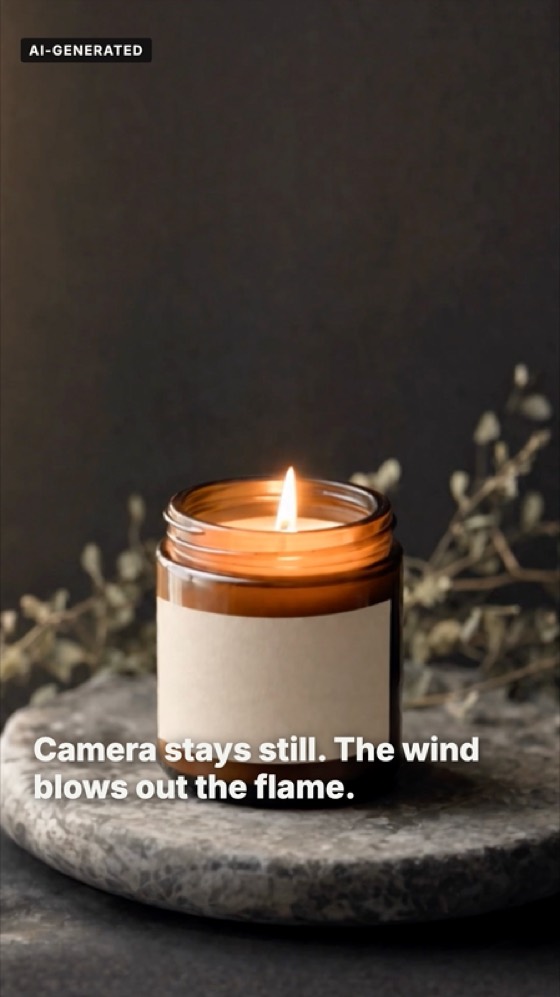
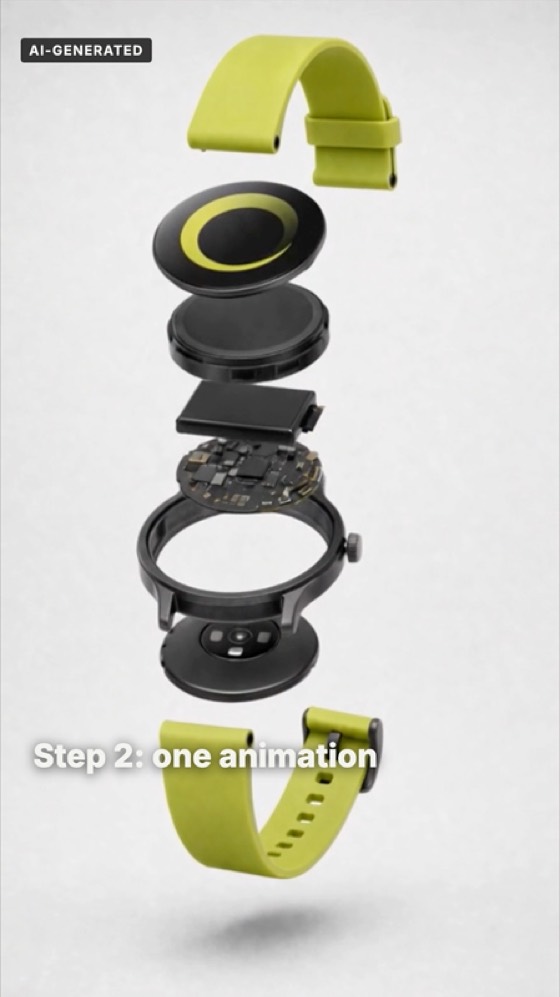
Frames from clips made in Higgsfield with camera words like these.
Dolly-in
Video
Slow dolly-in toward the [product] on a timber table, focus locked on the label. Sound: quiet room tone. Soft natural light, photorealistic.
Dolly-out
Video
Slow dolly-out from a close-up of the [product], revealing the kitchen around it. Sound: a soft hum. Soft natural light, photorealistic.
Orbit
Video
Camera arcs slowly around the [product] on a stone plinth while it stays centred. Sound: a quiet room. Soft natural light, photorealistic.
Pan
Video
Locked tripod pan from left to right across a shelf of [products]. Sound: a faint street hum. Soft natural light, photorealistic.
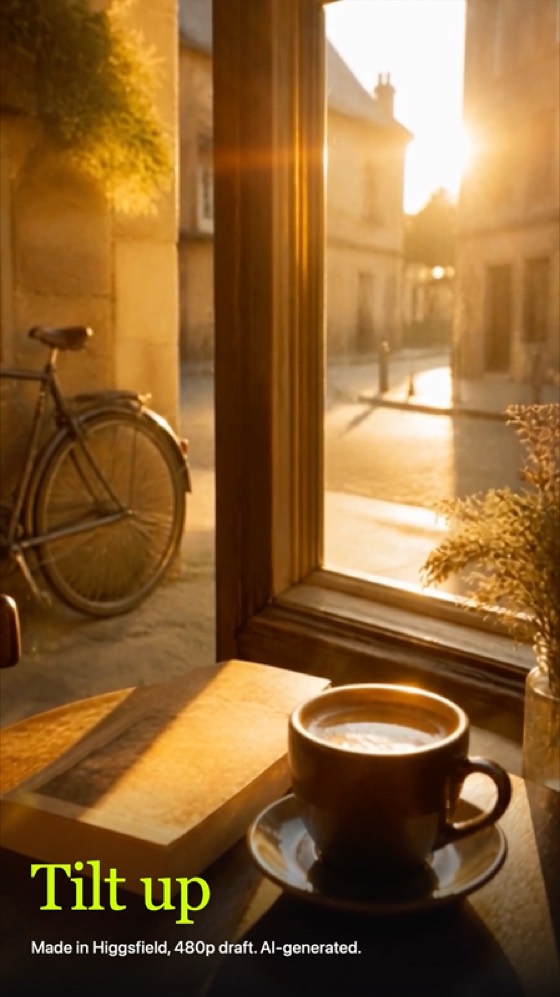
Tilt up
Video
Camera tilts slowly up from the base of a [tall product] to its top. Sound: a quiet room. Soft natural light, photorealistic.
Tracking shot
Video
Camera tracks sideways, keeping pace with a hand sliding the [product] along the bench. Sound: a soft slide. Soft natural light, photorealistic.
Crane up
Video
Camera rises slowly from the [product] to reveal the whole [shop or setting]. Sound: morning birds. Soft natural light, photorealistic.
Rack focus
Video
Focus shifts from a plant in the foreground to the [product] behind it. Sound: a quiet room. Soft natural light, photorealistic.
Locked-off
Video
Locked-off shot. The camera does not move; only the steam rises from the cup beside the [product]. Sound: café ambience. Soft natural light, photorealistic.
Handheld
Video
Handheld, slight natural sway, as if filmed by a person, the [product] on a market stall. Sound: market chatter. Soft natural light, photorealistic.
Top-down
Video
Top-down shot of the [product] on a bench while a hand places a small plant beside it. Sound: soft sounds of a workshop. Soft natural light, photorealistic.
Macro
Video
Macro close-up of the texture of the [product], light sliding slowly across the surface. Sound: silence. Soft natural light, photorealistic.
Slow motion
Video
Slow motion of water droplets falling past the [product] against a dark backdrop. Sound: gentle drips. Soft natural light, photorealistic.
Whip pan
Video
A quick whip pan from an empty bench to the [product] arriving in frame. Sound: a soft whoosh. Soft natural light, photorealistic.
Push-in on a person's hands
Video
Slow push-in on hands packing the [product] into a paper bag, no face visible. Sound: paper rustle. Soft natural light, photorealistic.
Low angle
Video
Low angle looking up at the [product] on a plinth, the ceiling light soft behind it. Sound: a quiet room. Soft natural light, photorealistic.
Reveal from behind an object
Video
A curtain slides aside to reveal the [product] on a table by a window. Sound: soft fabric. Soft natural light, photorealistic.
Golden hour drift
Video
The [product] on a windowsill as golden-hour light drifts slowly across it. Locked-off camera. Sound: quiet birds. Soft natural light, photorealistic.
Rain on the window
Video
The [product] on a bar counter at night, rain streaking the window behind it, slow push-in. Sound: rain, a quiet bar. Soft natural light, photorealistic.
Steam and light
Video
Steam rising from a cup beside the [product], a shaft of light moving slowly through it. Locked-off camera. Sound: café ambience. Soft natural light, photorealistic.
A week of café posts and 25 b-roll prompts for days you have nothing to film.
The full café set (a week of posts)
6
Use your real photos where you can. Use these for specials boards, mood shots and promos. GPT Image 2.5 for anything with words.
Made in Higgsfield. Examples of what prompts like these give you.
Mon: specials board
Image > GPT Image 2.5 (Flare)
A hand-written chalkboard on a café wall that reads "TODAY: [special 1], [special 2], [special 3]". Neat chalk lettering, small doodles of leaves, warm morning light.
Tue: latte art macro (video)
Video > Seedance 2.5
Macro shot of milk pouring into espresso, forming a rosetta, slow motion, warm light. Sound: steam wand, quiet chatter.
Wed: pastry case
Image > GPT Image 2.5 (Flare)
[Your pastry] lined up on a marble counter behind glass, soft morning light, shallow depth of field.
Thu: takeaway flat lay
Image > GPT Image 2.5 (Flare)
Top-down shot of a takeaway cup, a paper bag and a [pastry] on a timber bench, keys and sunglasses beside them.
Fri: weekend promo
Image > GPT Image 2.5 (Sunburst)
A bright poster that reads "[YOUR OFFER]" above a photo of this exact [product]. Clean layout, your colours: [hex codes].
Sat: mood shot (video)
Video > Seedance 2.5
Locked-off shot of an empty café at opening time, chairs being turned down, sun streaming in. Sound: birds outside, a chair scraping.
25 b-roll prompts for local businesses
25
For days you have nothing to film. Seedance 2.5 or another video model, vertical, 5 to 8 seconds. Use as mood footage behind your text or voiceover, not as "this is our shop". Switch on the AI label.
Made in Higgsfield. Examples of the look to aim for.
Café
Video > Seedance 2.5
Macro close-up of espresso pouring into a white cup, crema swirling, warm morning light, slow motion. Sound: espresso machine hiss, quiet chatter.
Tradie
Video > Seedance 2.5
Slow push-in on a neat row of power tools on a ute tray at sunrise, dew on the metal, soft lens flare. Sound: birds, distant traffic.
Salon
Video > Seedance 2.5
Close-up of scissors snipping the ends of glossy brown hair, shallow depth of field, soft salon light, no face visible. Sound: scissor snips, hairdryer in the background.
Florist
Video > Seedance 2.5
Hands wrapping a bunch of native flowers in brown paper and tying it with twine, top-down view, soft daylight. Sound: paper rustling.
Gym
Video > Seedance 2.5
Slow motion of chalk dust drifting off a barbell in a quiet gym at dawn, shallow depth of field, cool light from a high window. Sound: distant weights, a quiet hum.
Bakery
Video > Seedance 2.5
Flour dusting down onto a wooden bench next to a ball of dough, soft side light, slow motion. Sound: soft thud, quiet kitchen.
Barber
Video > Seedance 2.5
Close-up of clippers fading the side of a head, no face visible, warm shop light, shallow depth of field. Sound: clipper buzz, soft radio.
Plant nursery
Video > Seedance 2.5
A watering can pouring over rows of seedlings in a sunny nursery, droplets catching the light, slow motion. Sound: water splashing, birds.
Mechanic
Video > Seedance 2.5
Slow push-in on a socket set laid out on a workshop bench, soft fluorescent light, a rag resting beside it, no brand names visible. Sound: distant workshop, a metal clink.
Yoga studio
Video > Seedance 2.5
Sunlight moving across an empty timber studio floor with rolled mats against the wall, dust motes in the light. Sound: soft breathing, a distant chime.
Bookshop
Video > Seedance 2.5
A hand slides a paperback from a crowded shelf, warm lamp light, shallow depth of field, no readable titles. Sound: pages, quiet shop.
Ice cream shop
Video > Seedance 2.5
A scoop of pistachio ice cream being pressed into a waffle cone, close-up, bright daylight, slow motion. Sound: scoop on the tub, soft chatter.
Pet groomer
Video > Seedance 2.5
A soft brush gliding through a fluffy dog's coat, close-up, no face visible, warm window light. Sound: gentle brushing, a quiet hum.
Photographer
Video > Seedance 2.5
Slow push-in on a camera on a tripod in a sunlit studio, a soft backdrop behind it, light shifting slowly. Sound: a quiet shutter click.
Cleaner
Video > Seedance 2.5
A cloth wiping a sparkling kitchen bench in one slow stroke, sunlight on the surface, close-up. Sound: soft wipe, a quiet kitchen.
Accountant or office
Video > Seedance 2.5
A tidy desk with a laptop, notebook and a cup of tea, morning light moving across it, slow push-in, no readable screens. Sound: soft keyboard, a clock ticking.
Garden maintenance
Video > Seedance 2.5
A hedge trimmer working along a neat green hedge, leaf clippings falling in slow motion, morning light. Sound: the trimmer, birds.
Jeweller
Video > Seedance 2.5
A gold ring slowly rotating on a black velvet pad, a soft highlight sliding across it, macro. Sound: silence, a soft chime.
Butcher or deli
Video > Seedance 2.5
Thin slices of prosciutto falling onto white paper on a deli counter, soft overhead light, slow motion. Sound: the slicer, quiet shop.
Brewery or bar
Video > Seedance 2.5
A pint glass filling from a tap, condensation on the glass, a warm bar light behind, slow motion. Sound: the pour, a quiet bar.
Pottery studio
Video > Seedance 2.5
Hands shaping wet clay on a spinning wheel, close-up, soft studio light, a little splash of water. Sound: the wheel, soft water.
Real estate or cleaner shot of a home
Video > Seedance 2.5
A slow glide through a bright empty living room, sheer curtains moving, sunlight on a timber floor. Sound: a faint breeze, birds outside.
Food truck
Video > Seedance 2.5
Steam rising from a grill as someone flips a patty, warm evening light, close-up, no face visible. Sound: sizzle, street ambience.
Fitness coach, outdoors
Video > Seedance 2.5
A pair of running shoes hitting a trail at sunrise, slow motion, dust lifting, no face visible. Sound: footsteps, birds.
Laundromat or dry cleaner
Video > Seedance 2.5
A row of crisp white shirts on hangers swaying slightly in warm light, shallow depth of field. Sound: a soft hum, hangers clinking.
No prompts match that. Try a shorter word.
Before you post
Check the product looks like what customers will get, proofread every word in an image, only use a real person's face with their permission, and switch on the AI label. Tool names and credit costs change often: if a name differs, pick the closest option.